
All
Your whole reading week.
Every unread article, across every feed, pulled into one through-line — the default when you just want a recap.
Guignol · Local-first RSS reader · macOS · Free
Guignol is a free RSS reader that stores every article, highlight, and AI-generated digest as plain text in a folder you own — ready for Claude Code, Codex, Obsidian, or any tool that speaks markdown. Organize feeds into folders by drag-and-drop, and scope each digest to the feeds that matter today.
01 — The Vault
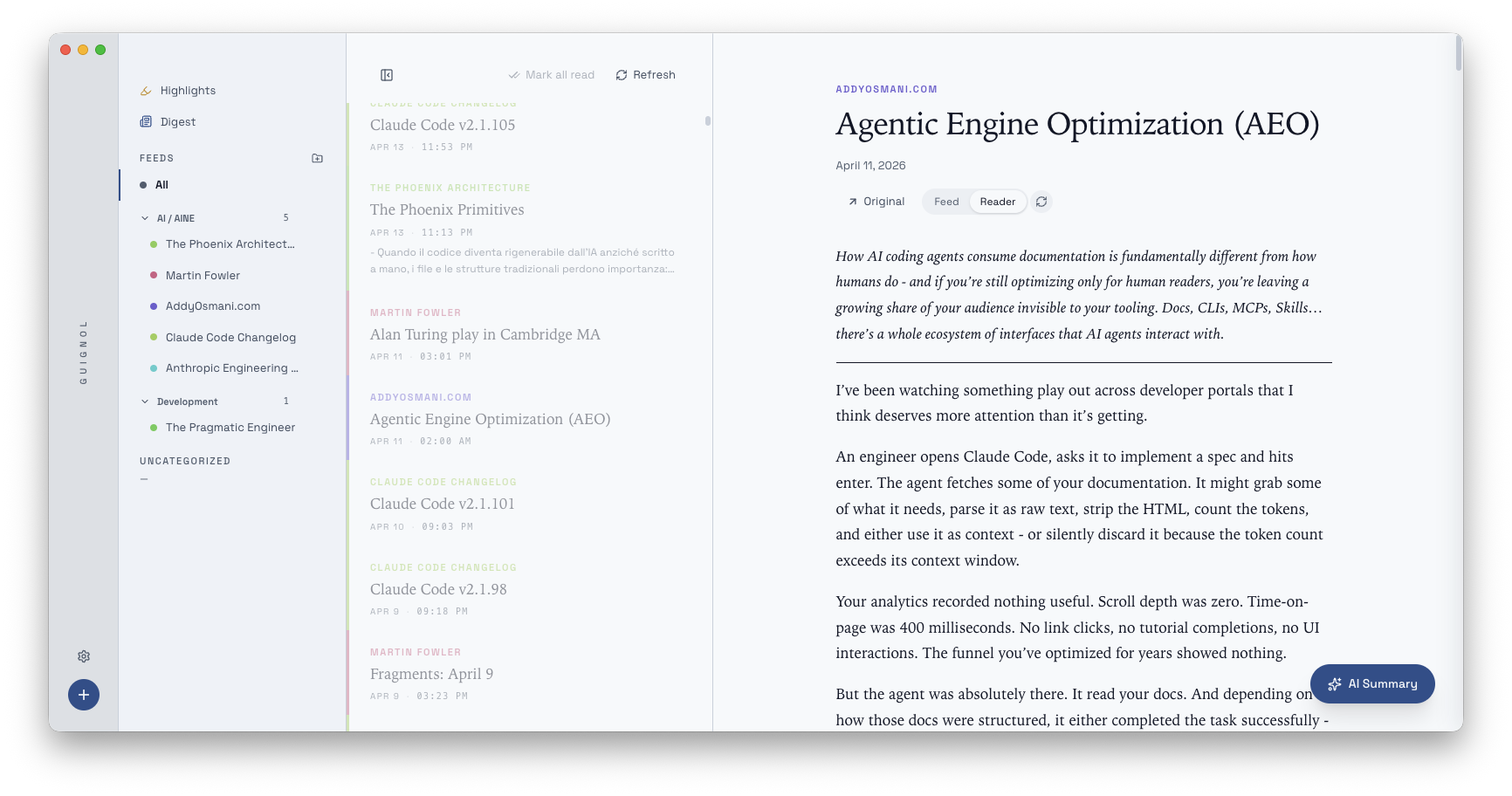
Guignol writes every article, every highlight, and every digest to plain markdown files in a folder you choose. No database. No proprietary format. Grep it. Commit it. Sync it with iCloud, Dropbox, or git — or don't sync it at all. When you want out, there's nothing to export, because there was nothing to import.
Mark all read
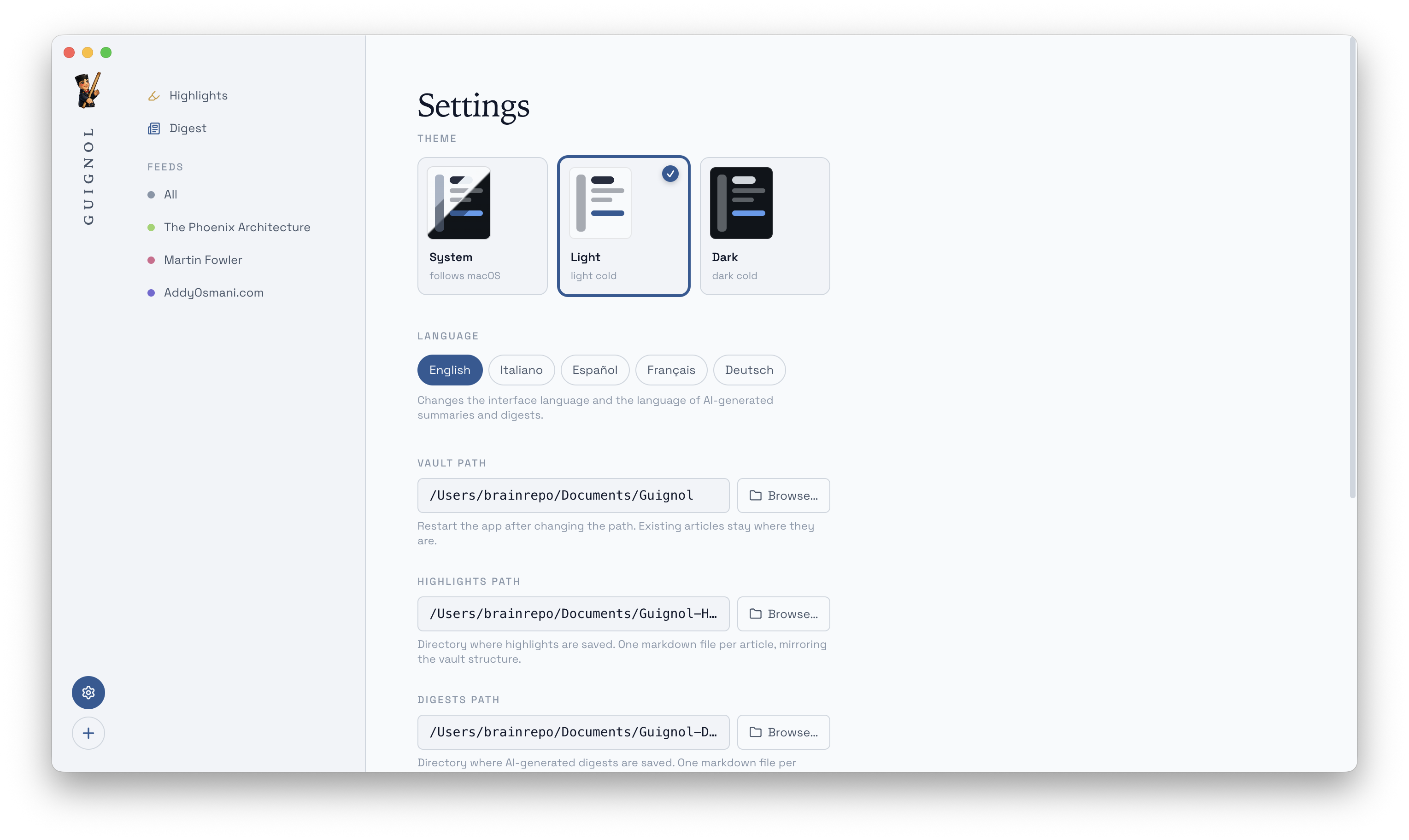
A single button in the toolbar marks every unread article in the
current view as read — scoped to the selected feed, the current
folder, or everything. The articles stay on disk; only the
read: true flag flips.

02 — Folders
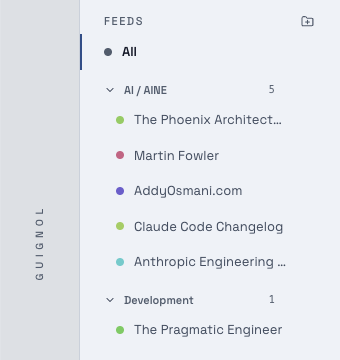
Group feeds into folders with drag-and-drop. A folder is just a
free-form tag on each feed, saved inside feeds.json —
no new schema, no hidden state, no lock-in. Rename a folder and
every feed inside it moves with it. Delete a folder and its
feeds land safely in Uncategorized.
03 — Close reading
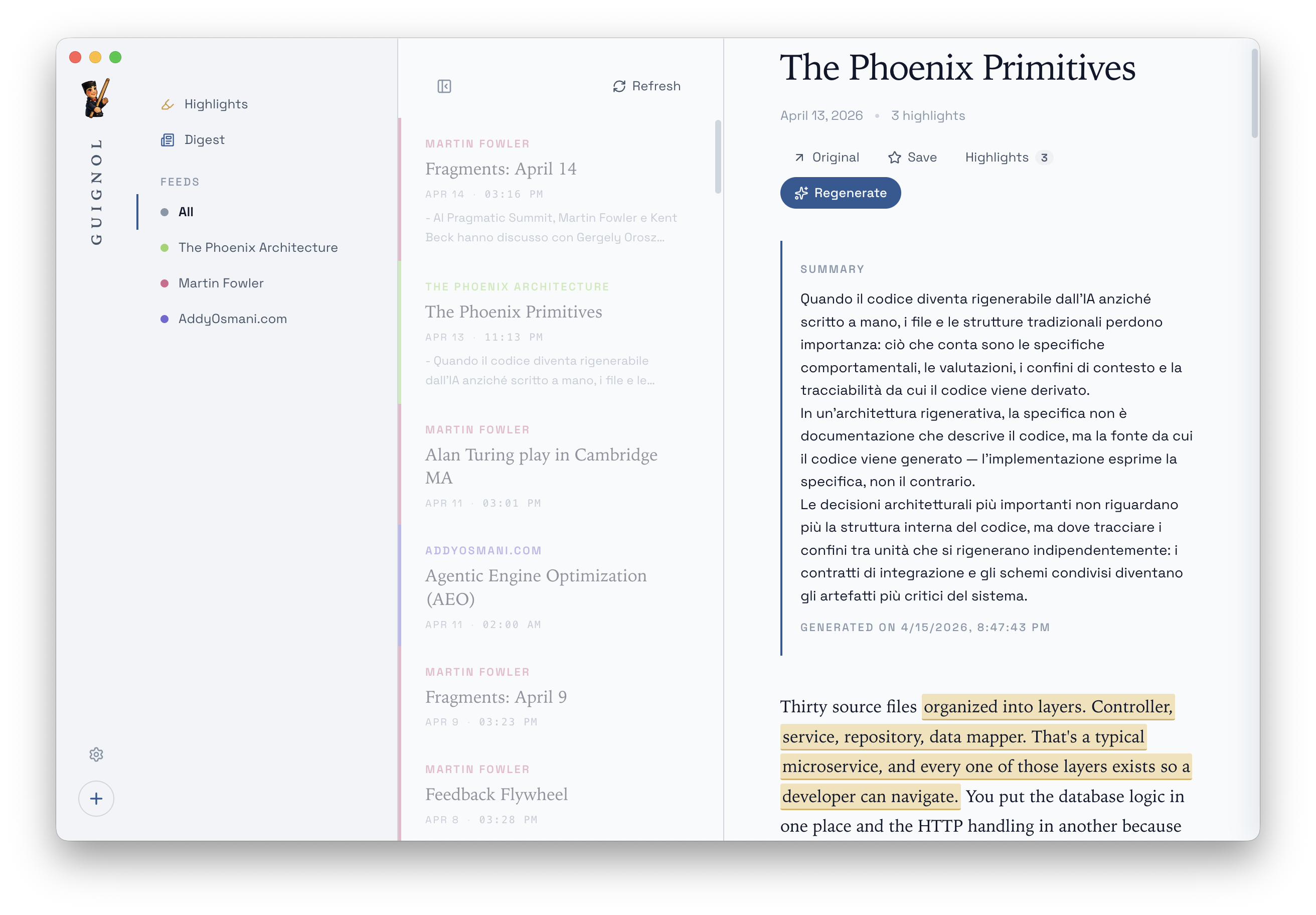
Guignol strips the junk and renders every article in a long-form reading view with a serif body, comfortable measure, and keyboard navigation. Mark a passage and it's saved as a highlight in markdown — with a link back to the source. Ask for an AI summary and it lands above the article, or in your digest.
04 — Highlights, gathered
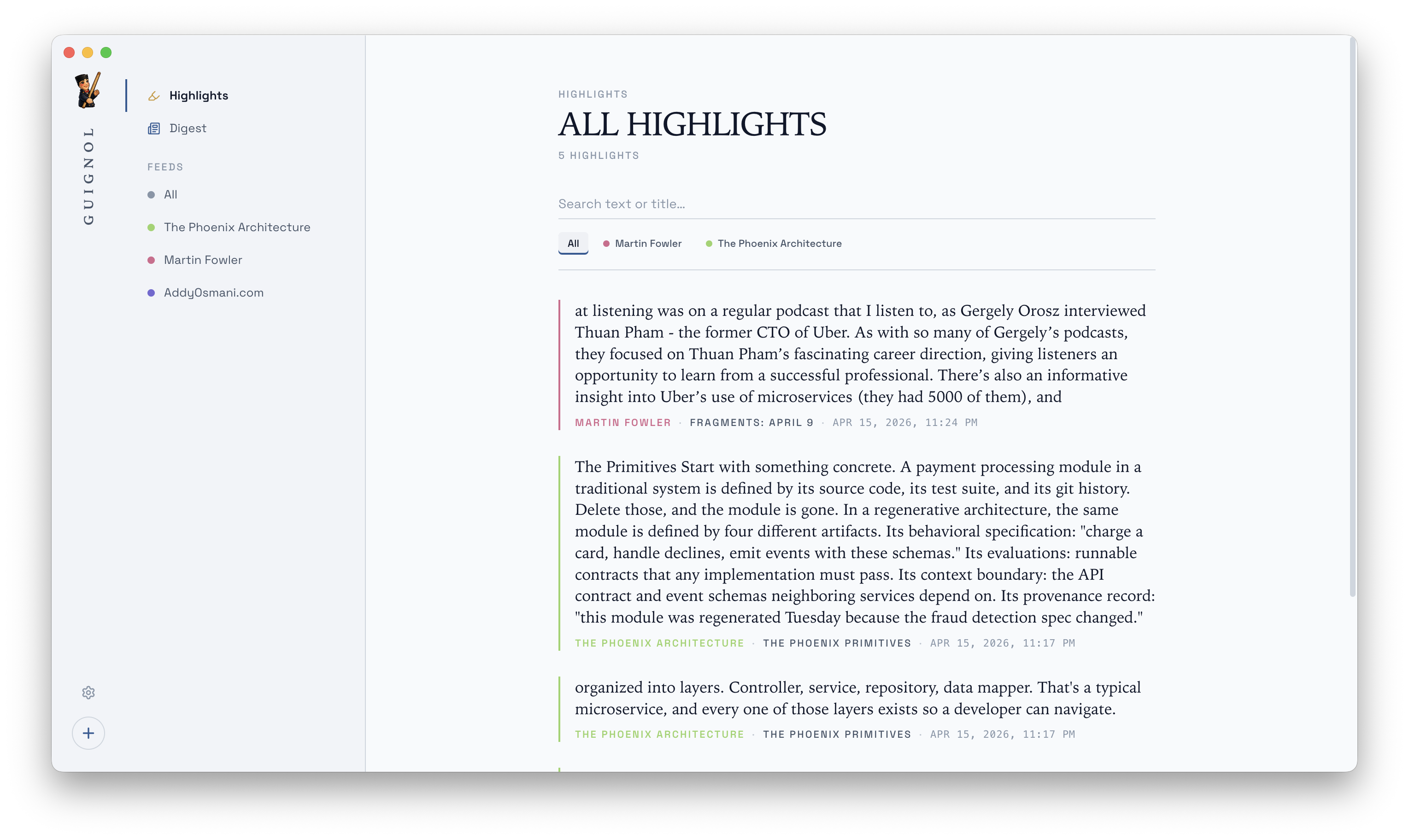
A single view gathers every highlight from every feed — filterable by source, full-text searchable, each line linked back to the article it came from. It is, quietly, the most useful page in the app: the distilled web you actually read.
And every highlight is also a markdown line in
~/Guignol/highlights/<article>.md,
mirroring your vault — so anything that reads the folder
sees exactly what you marked.
05 — Digests
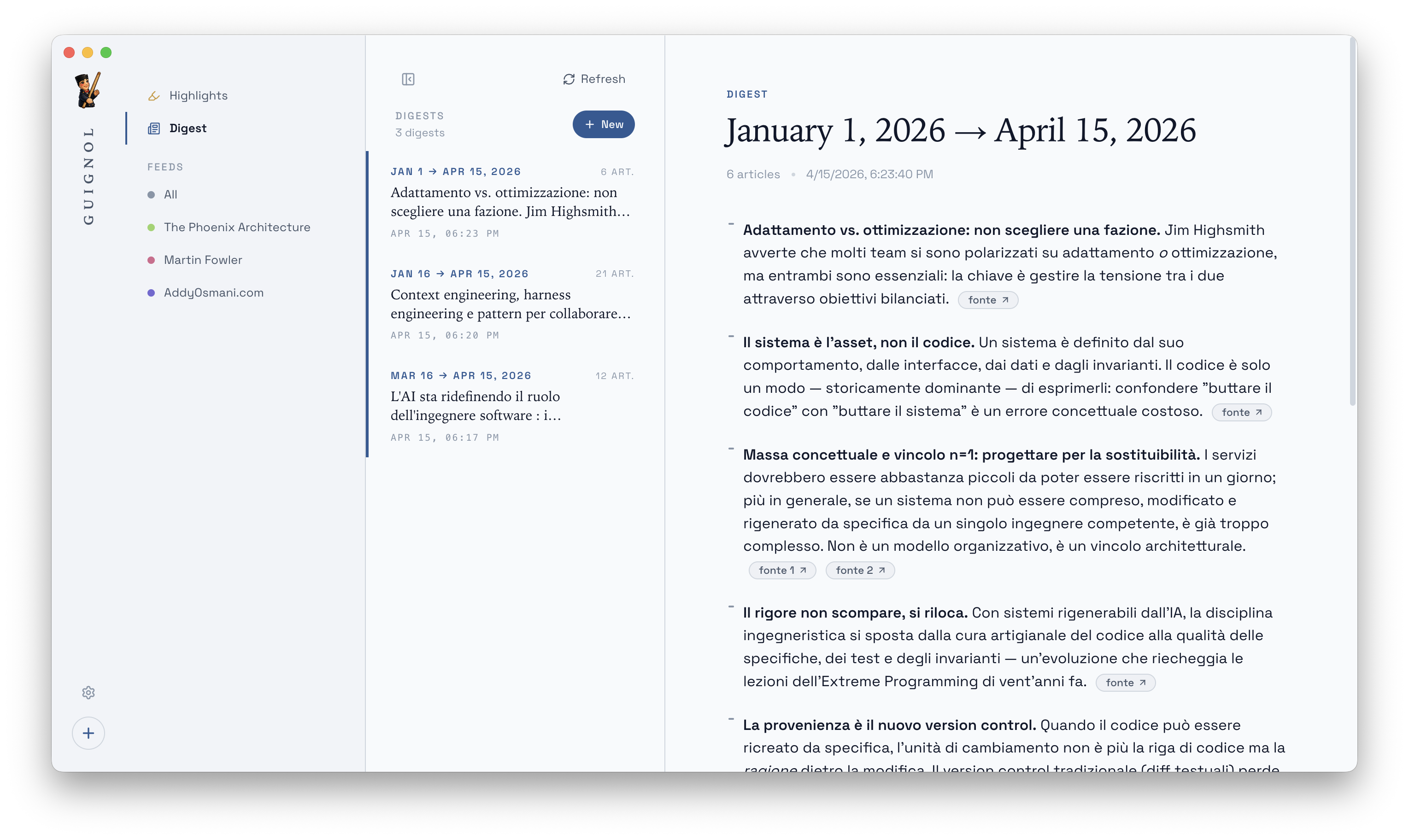
Your AI reads what you saved and writes a digest every day, week, or month. Not a summary — a digest. Themes. Through-lines. What repeated.
Scope each digest
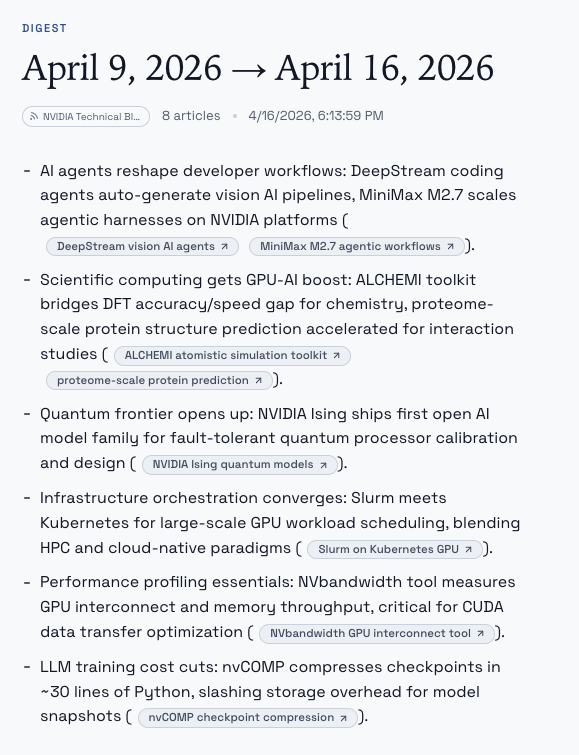
Not every digest is about everything. Pick a scope when you create one — an entire morning read, just your Tech folder, or one long-tail feed you want in focus this week. The scope is written into the digest's frontmatter, so a year from now you still know what each file was about.
All
Every unread article, across every feed, pulled into one through-line — the default when you just want a recap.
By folder
Scope the digest to a folder — Tech, Policy, whatever you've organised — so the themes don't blur across unrelated subjects.
By feed
Track one publication closely: what it was really saying this month, beyond the individual headlines.
06 — Bring your own AI
Every AI feature in Guignol — article summaries, daily,
weekly, and monthly digests, anything we add later —
runs through an AI CLI you already have installed on your
Mac. Pick claude or codex in
Settings; Guignol calls it as a subprocess and parses the
response. There is no embedded model. No Guignol API key.
No token meter. You sign in to Claude Code or Codex once,
and Guignol borrows your session. Your prompts never touch
a Guignol server, because there isn't one.
$ cd ~/Guignol/highlights
$ ls | head -4
2026-04-15-stratechery-open-web.md
2026-04-14-fowler-microservices.md
2026-04-12-anthropic-evals.md
2026-04-09-kohlmeier-attention.md

$ claude -p "What threads run through
       my highlights this week?"

Reading 14 highlights across 6 articles …

Two threads keep returning across what you marked:

  · Evaluation gaps. You highlighted
    "capability vs. disposition" twice and
    underlined "benchmarks measure compliance,
    not safety."

  · A phrase you marked three times across sources:
    "writing as thinking is downstream of
    writing as evidence."
Why local-first
No account. No server. No telemetry. Your feeds, articles, and highlights live in a folder on your Mac. You can sync it with iCloud Drive, Dropbox, or git — or not sync it at all. Guignol does not care. It is software that assumes you will outlive it.
Download · Guignol 0.4.0
macOS 12 Monterey or later. Signed and notarized.
Not sure which you have? Open → About This Mac — if the Chip line starts with "Apple", grab Apple Silicon. Every release ships as signed and notarized DMGs on GitHub Releases. Homebrew Cask coming soon.